6.4 Creating initial bank balance
When a company is formed there is an initial investment. This varies by the type of company.
Jack’s company was formed as a corporation. The initial purchase of the company’s common shares needs to be entered into the bank account to establish the initial balance.
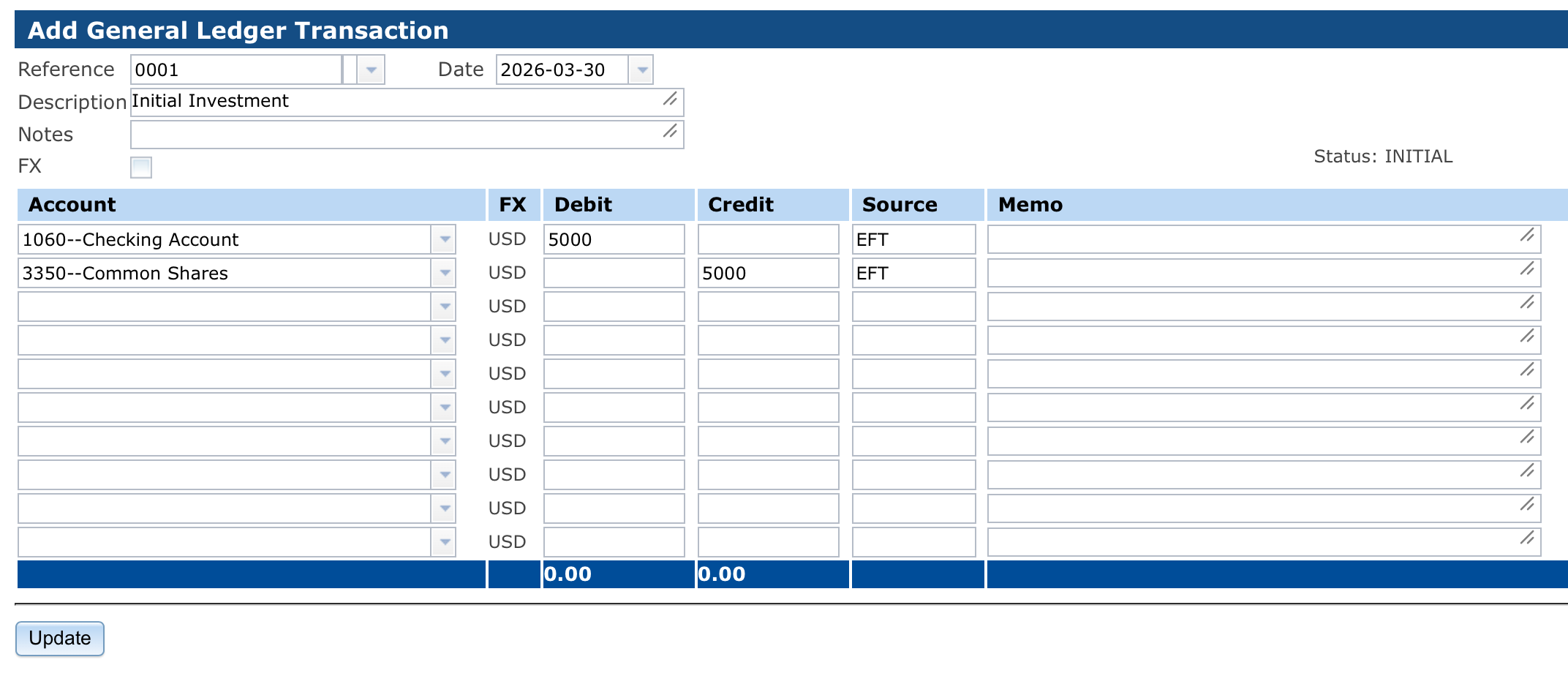
To do this Jack will create a manual Journal Entry which will debit the Checking Account (1060) and credit the Common Shares account (3350). Jack’s initial investment was $5000.00.
To do this Jack will:
-
1.
Navigate to General Journal Journal Entry
-
2.
Enter “0001“ into the Reference field
-
3.
Enter “Initial Investment“ into the Description field
-
4.
Select account 1060 in the first row of the Account column
-
5.
Select account 3360 in the second row of the Account column
-
6.
Enter “5000“ under in Debit column for account 1060
-
7.
Enter “5000“ under the Credit column for account 3360
-
8.
In the Source column for each row enter the source. This could be a check number, but our purposes we are going to enter “EFT“ for Electronic Funds Transfer (EFT)
- 9.
-
10.
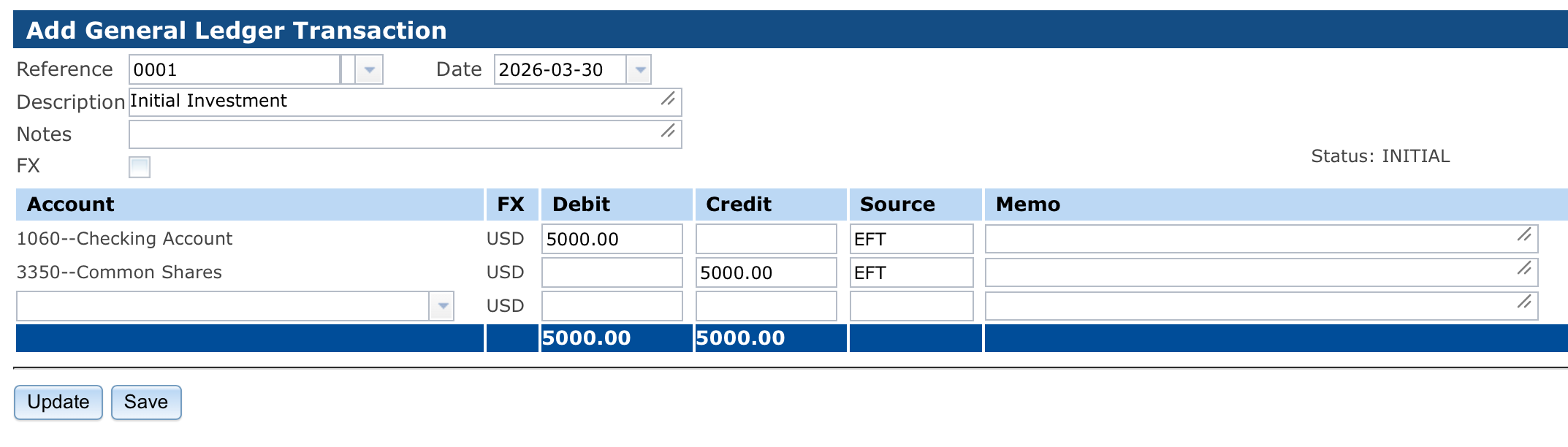
Click “Update“
- 11.
-
12.
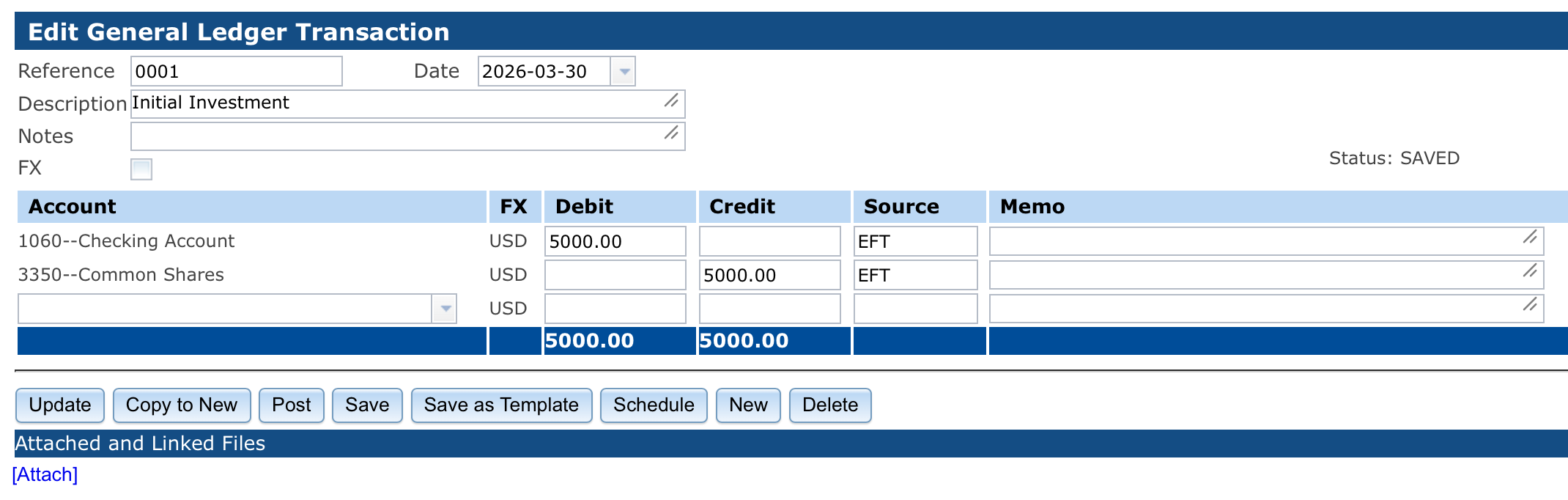
Click “Save“ to save the transaction
- 13.
-
14.
Click the “Post“ button to approve the transaction
-
15.
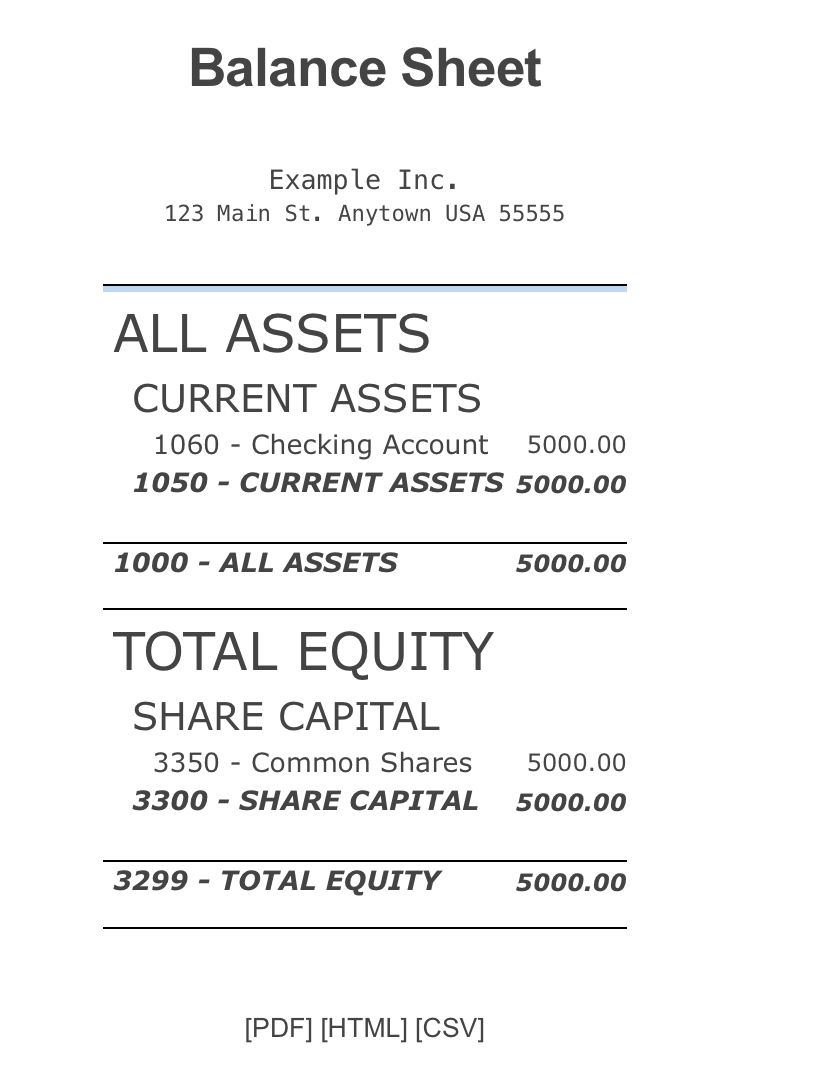
To confirm the initial balance navigate to General Journal Reports Balance Sheet
- 16.